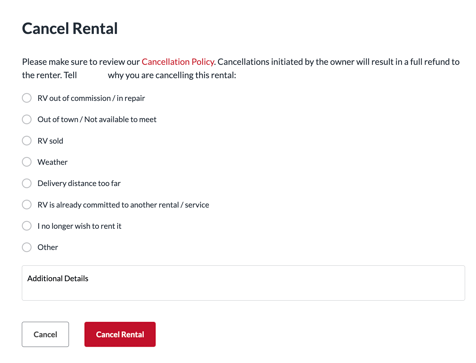
If you must cancel a trip for whatever reason, you can do so under the Rental Details of that trip. If there are issues with your RV that cause the rental to be cancelled, you will need to cancel from your side so the renter is issued a full refund. If you need to cancel a trip that is already in progress, please contact support@rvrentals.com as soon as possible and we can assist in cancelling the trip for you. To cancel a trip, follow the steps below:
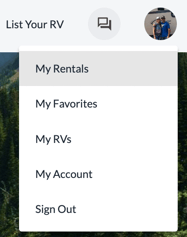
Select My Rentals from the site menu
Click on the 'Rental Details' of the corresponding trip

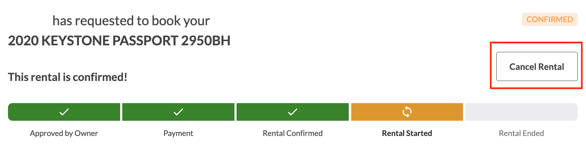
Click the 'Cancel Rental' button located above the rental status bar
Be sure to select the proper cancellation reason to avoid cancellations counting against you. The trip status will change to "Cancelled" once you successfully cancel your trip.