
Both owners and renters can suggest a change to a rental inquiry or confirmed rental. If you are adding fees to the end of a rental from your add-ons, these must be done before midnight on the date the RV is returned. To do this, log into your account and follow these steps:
Select My Rentals from the site menu
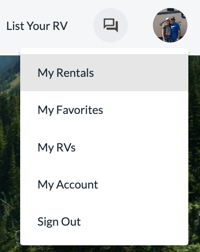
Click on the Rental Details of the corresponding rental

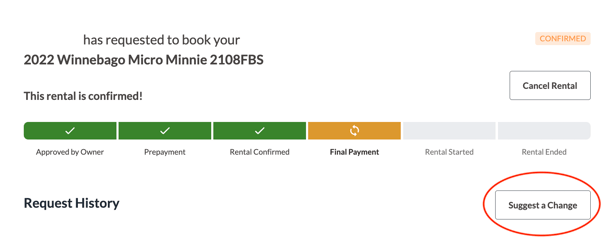
Click the Suggest a Change button, located under the rental status bar
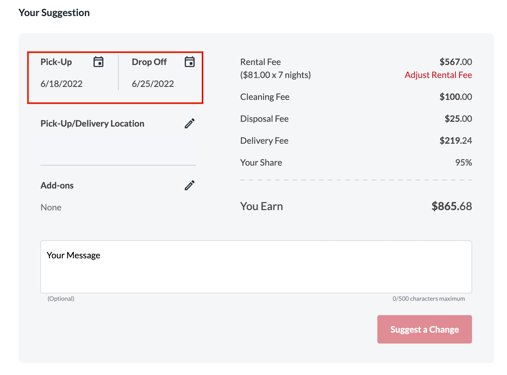
To make changes to the dates, you will click the current dates and select new dates
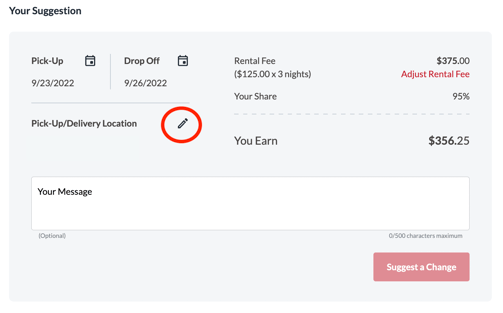
To make changes to the delivery or pick-up location, click the pencil icon next to the Pickup/Delivery Location
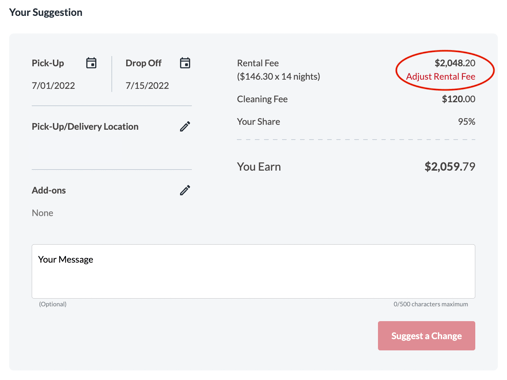
To adjust the overall fee for the rental, you will click the Adjust Rental Fee link located below the current rate
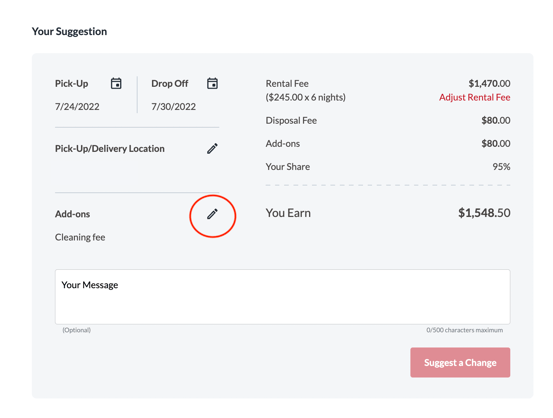
To make changes or to assess an add-on, click the pencil icon next to the add-ons section
Once you have suggested a change, the other party must accept the new terms, to put it into effect. When they have accepted, the change is automatically charged and updated in the details. If the new suggestion is not accepted, the rental will move forward under the most recent terms.
*Once a trip has been confirmed, changes that lower the overall price cannot be made.